Turn a family tree export into a wall poster
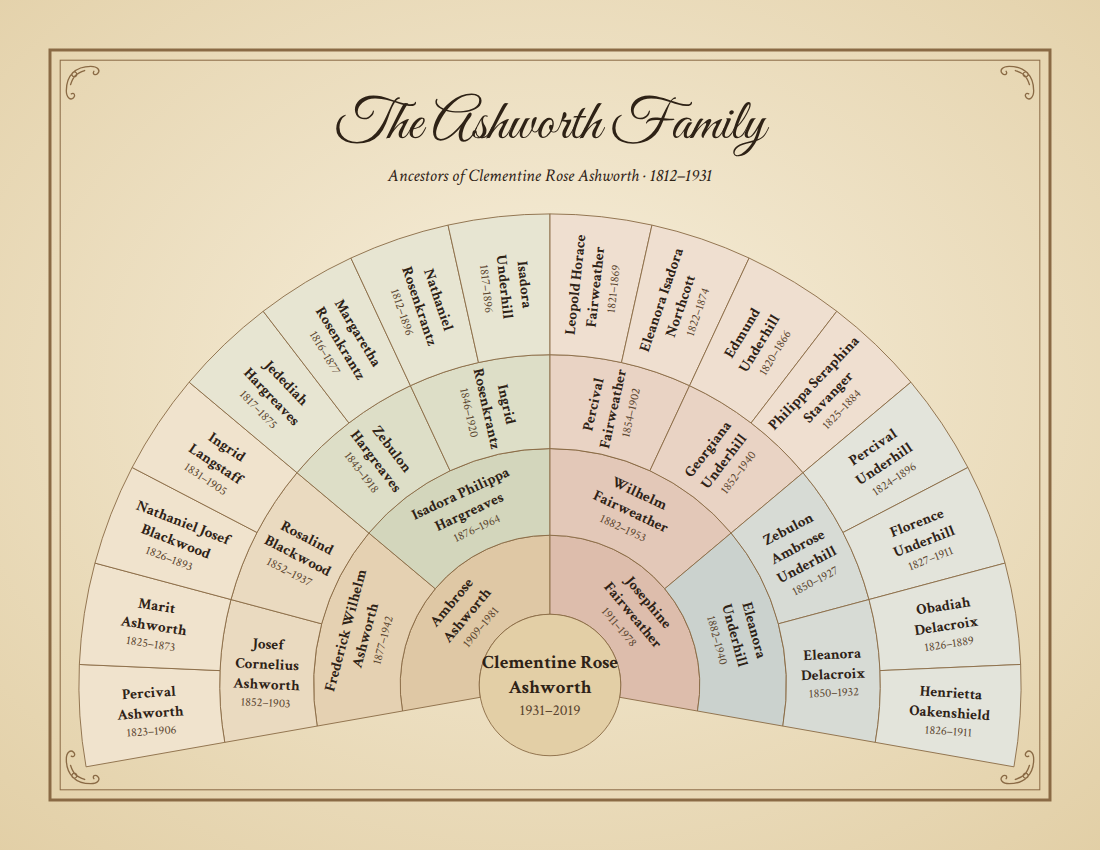
Open a GEDCOM file, the export that most family-tree programs and websites offer, and Family Poster Studio lays it out as an ancestor fan or a descendant chart, right in your browser. Your file never leaves your computer.
Free: a Letter-size PDF. Plus ($19 USD, one-time): 18 × 24 and 24 × 36 inch poster PDFs. Made for anyone with a family tree who wants a printable wall chart.
By Keyline Tools. Not sure where to start? Read the guides.
What it does
Load privately
Your GEDCOM is read with the browser's File API and parsed on your own computer. It is never uploaded.
Explore the tree
Search by name, step to parents, spouses and children, or click any name in the chart to recentre on that person.
Two chart types
An ancestor fan, or a descendant chart, each laid out to keep names readable instead of running off the page.
Three themes
Heritage, Botanical and Modern — vector art that prints sharp at any size, with an editable title and subtitle.
Free and licensed sizes
| Size | Price | Needs |
|---|---|---|
| Letter, 8.5 × 11 in | Free | Nothing — open the app and export |
| 18 × 24 in poster | $19 USD Plus unlock (both sizes) | A license key |
| 24 × 36 in poster | $19 USD Plus unlock (both sizes) | A license key |
Letter size is free. Poster sizes need a one-time license key, checked with our server before each export; see how licensing works. Printing and framing are up to you — we don't sell physical prints.
How to get a license
Plus is bought from inside the app: choose an 18 × 24 or 24 × 36 poster size there and it shows the checkout link when purchases are available. Try the free Letter PDF first. See the refund policy and support.
Have a file already?
Try the two built-in examples inside the app, or load your own export — see the export guide for how to get one from your program.